Why this update matters
The best calendar is the one you barely notice. Triba’s customers build real-world experiences—mountain trips, trail classes, yoga sessions—and they told us the admin should get out of the way. So we focused on speed of navigation and speed of input. Fewer clicks, bigger moves, clearer context.
What’s new (at a glance)
- Scrollable Year View: Ditch the tiny left/right arrows—glide across a full year in a single scroll to find the date you need fast.
- One-tap “Today” with Buffer: Jump back to the present, with a week of context before today so your field of view makes sense.
- Optional Times for Multi-day Trips: Perfect for arrivals and travel days (e.g., Mont Blanc). You decide whether times matter.
- Template + Docs Integration: Pull in experience templates and attach waivers from Google Docs in a couple of clicks.
- Bulk Scheduling for Series: Spin up a weekly (or monthly) run of smaller experiences in one go—trail skills, yoga, paddle-boarding, you name it.
- Edit Each Instance Independently: After creation, every occurrence can have its own instructor, time, and price.
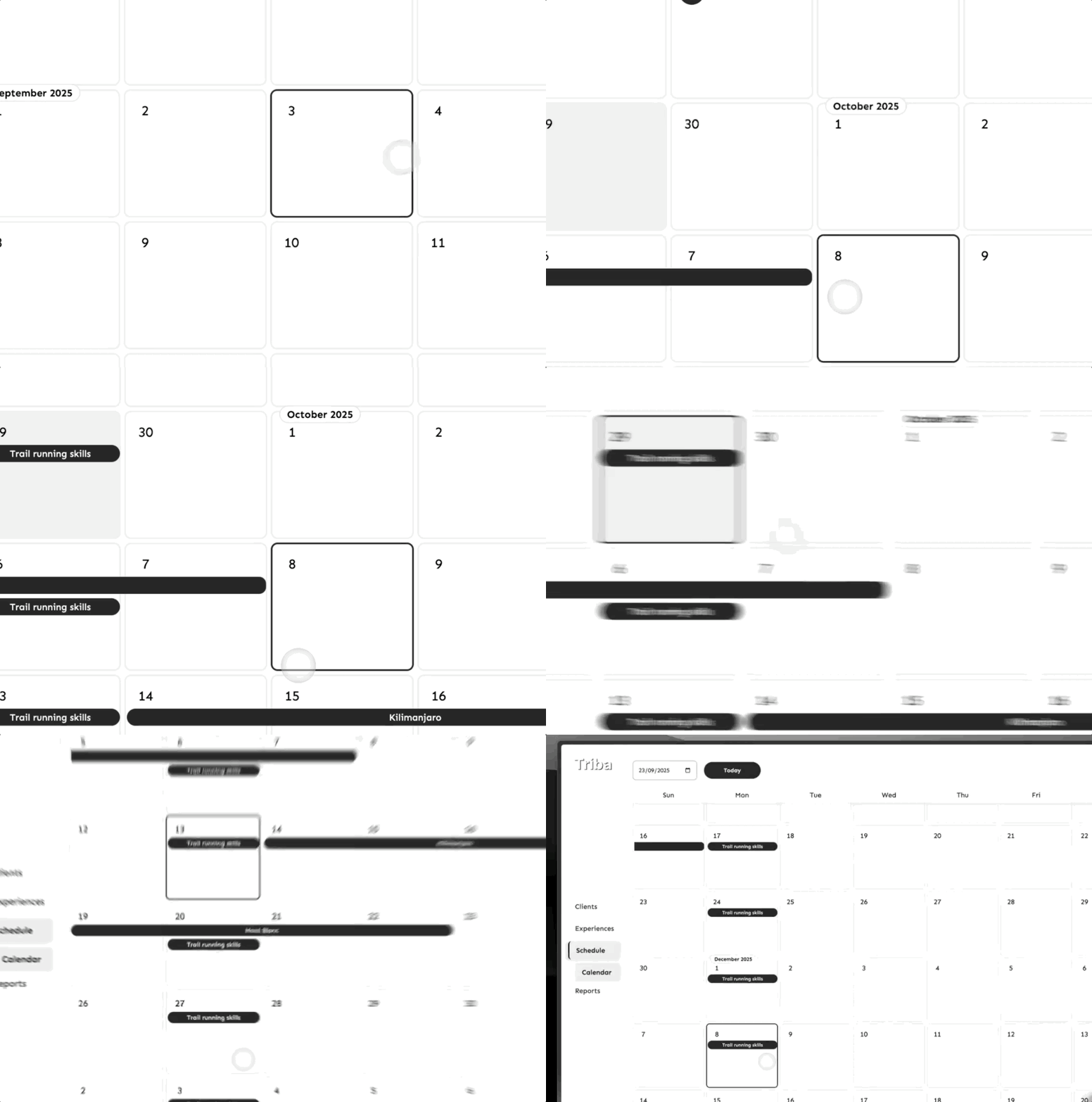
Quick tour
- Navigate by scrolling: Sweep across months and years. Pick a future date—say July 28—in a couple of flicks. Tap Today to snap back with a sensible buffer.
- Add a multi-day experience: Create a 4-day trip. Leave times blank if they’re not essential (arrival/departure days). Attach your Mont Blanc waiver from Google Docs, add your instructor, and save.
- Schedule a whole series: Toggle Scheduling, choose Weekly, and set an end date (e.g., up to 16 Dec). Add start/end times (e.g., 06:00–07:00) for a morning class. Save once—see the full run appear.
- Tweak individual dates: Click any occurrence to change the instructor, adjust times, or update pricing. Series are created fast; each date stays flexible.
Real-world examples
- Guided Alpine Trip: 4 days on Mont Blanc with optional times, arrival and departure days handled gracefully.
- Trail Running Skills: Weekly Monday mornings, 06:00–07:00, scheduled through mid-December in a single action.
- Studios & Schools: Yoga, SUP, climbing—set weekly or monthly series, then customise per session.
Pro tips
- Re-center fast: Use Today whenever you’ve been roaming far into the future—your buffer gives you useful context.
- Use optional times strategically: For multi-day trips, skip exact times to reduce noise and focus on the blocks that matter.
- Template once, reuse forever: Keep waivers (e.g., Outdoor Activities) in Google Docs and attach them as you create experiences.
- Create first, fine-tune later: Bulk-create a series, then open any single date to change instructor, time, or price.
FAQ
Are recurring experiences “linked” after I create them?
No. Each occurrence is independent so you can change instructor, time, or price per date without affecting the rest.
Can I schedule monthly or custom cadences?
Yes—weekly is common, but you can set up other rhythms (e.g., monthly three-day events). Create the run, then tweak instances.
Do I have to set start/end times for every experience?
No. Times are optional—especially helpful for larger multi-day trips with arrival/departure days.
Full transcript
We include the transcript for accessibility and for folks who prefer to skim.
We really wanted to to build a calendar that you spend even less time on. It's kind of a funny place to sit. So today I'm going to show you the calendar improvements. Uh the the navigation has been simplified. Couple of things when we create an experience and brand new feature with the scheduling of uh lots of experiences in one go. Let's get in.So uh we can scroll a year. That's probably the the biggest thing with navigating. The uh the buttons have gone the uh the left and right and clicking around has gone. Now you've got an entire year to to check out. And uh as before, you can, you know, go grab a massive future date. So here we are, July 28. Couple of clicks and we're already a couple of uh years in the future. And if I ever want to get back to today, bang, I just hit today. Scrolls me straight back to to where I am. We've got a couple of got a week and stuff beforehand. So it creates a a buffer. So when you get back to this today point, you know, you've got a bit before and you can scroll around. So you've got a good real field of view when you're seeing things. Let's get a let's get an experience on here. So um if I come on in, let's do uh four days uh experience. Um we got some optional optional times. So like a bigger experience. Maybe times aren't super important because you've got like an arrival day and a and a travel day like uh when you depart. So like kind of both sides. And so uh we have made times optional. Um let's go ahead and and add a Mont Blanc uh experience. That's just straight from our templates. documents as we know connected up to to Google Docs. Um I'm going to grab the the mountain waver that I've got. Um and let's just add our uh instructor. Hit save. And that's going to go ahead and that's it. We've got it. We're in. Uh MLANC is is made and we're we're ready to go now. Um very easy to get single experiences in when we're we're thinking of bigger experiences, but uh we start to think about, you know, smaller experiences. And so um a lot of uh people who are looking at Triba are talking about um you know like a smaller thing. So the example that we've got is this trail running skills class you know maybe once once a week uh you could be it's it can be so many things yoga um paddle board and all these sorts of of things. Um we can again optional we've created an outdoor outdoor activities waiver. Um and let's put a vet on this one. Uh just going to toggle scheduling. Um so I've got it on weekly. Um it's it knows that I've picked a Monday, so it said it's on Monday. Um and then if I just go ahead and create uh let's go all the way to December. We could say maybe before Christmas. Uh 23rd's a little close. Let's hit 16th. Um and go from there. And then let's just uh put in a start time and an end time. So this could be like a morning class. Um get up, come do some trail skills. Uh six and seven. Uh we're going to go ahead and hit save. And then there they are. Now we've got an entire series of uh smaller experiences. They can be be larger. They could be once a month like three-day events and stuff like that. It's again with the calendar. It's all about input. At this point, you can select any individual one of these experiences and change the uh the instructor who's on there. We can change the times. We could change the price They're all individual experiences that you can can do as you want. Um and so they're not connected, but when they're in there, bang, you get this this whole set in there. And so, uh, they're the new calendar improvements. I'd love to hear what you got to say about it.
Try it now: Open the new calendar